Hi!
For the last week, my colleagues and I have been testing ChatGPT Canvas. During this time, we've checked dozens of workflows and discovered some hacks. More importantly, I came to the conclusion that Canvas is OpenAI's most significant update in many months.
Yes, even with the OpenAI GPT-4o and Advanced Voice Mode releases.
Let's look at what we have now and discuss why Canvas can be considered a revolution.
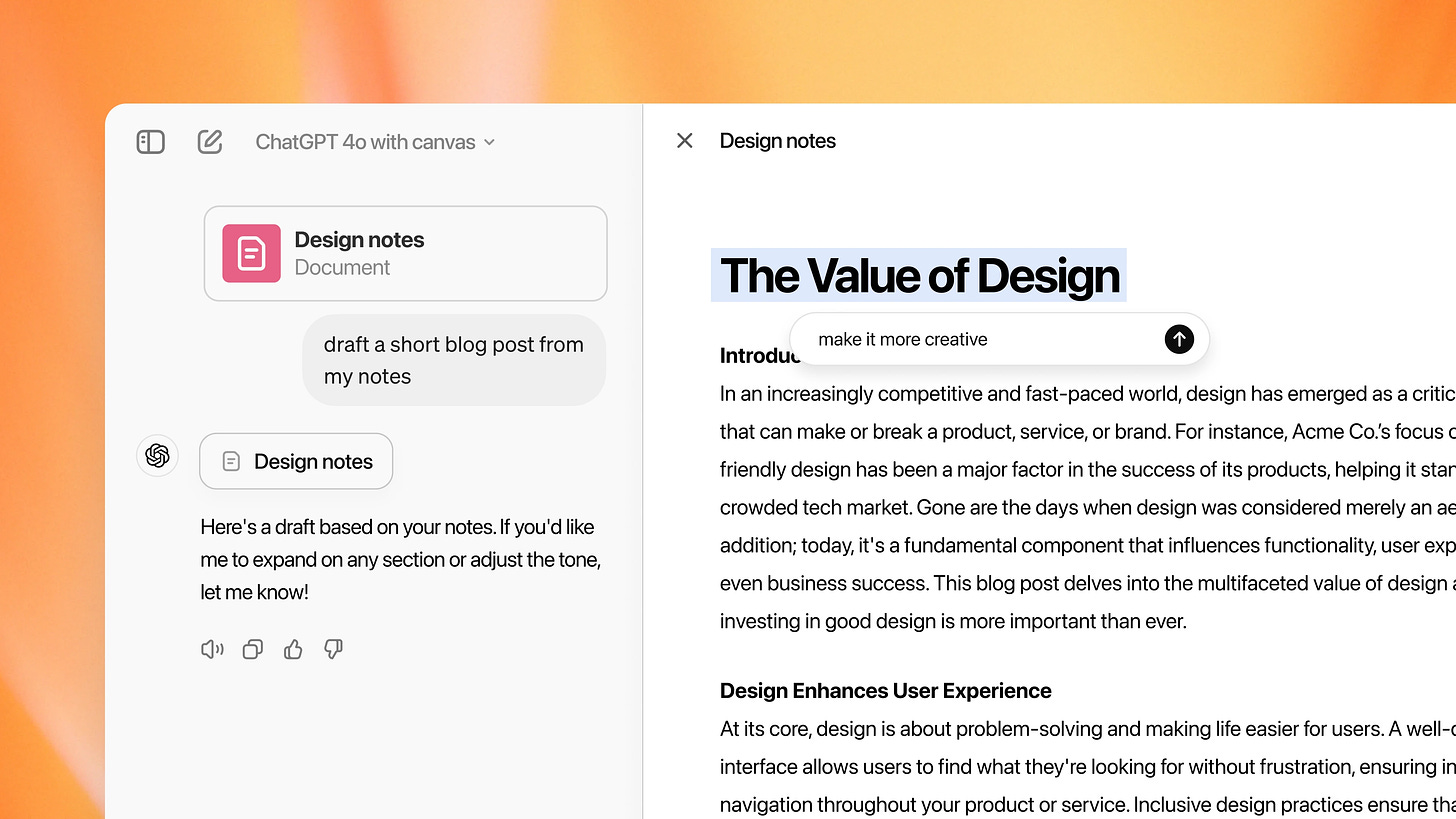
So, first of all, what is ChatGPT Canvas? It's a new feature for the GPT-4o model that allows for a more visual and interactive AI experience than traditional text-based chat. Unlike standard interfaces, Canvas combines textual prompts with visual inputs to improve our experience in text and code generation tasks.
To be fair, OpenAI is not a pioneer in this area. Anthropic implemented a similar feature called Artifacts back in June. We covered it here: Claude 3.5 Sonnet, Sutskever's Startup, AI in Comedy, and Adobe's AI Features
When you enable Canvas, the ChatGPT interface will change noticeably (but fear not, it will still be just as intuitive). You've got two windows instead of a single dialog with the chatbot. On the left will be the same ChatGPT, and on the right will be a text editor displaying the generated content. At the same time, you also got a toolkit for interacting with the AI and the ability to make edits to the text. In this sense, Canvas resembles a simplified analog of Microsoft Word, Google Docs, and Notion.
And if you need some useful prompts for ChatGPT, you'll find them here: How to Save Money on AI Tools with Simple Prompts
The idea behind OpenAI is to make ChatGPT for the two most demanded use cases - writing and coding. With Canvas, you no longer have to switch between different windows, cut blocks, and ask the AI to generate a new variant. Now, we can make spot edits and discuss with ChatGPT what can be improved. For this purpose, the developers offer a new set of hotkeys, tooltips, and pop-up tools in the bottom corner.
From a writer's point of view, Canvas is well-suited for composing complex articles, essays, or reports. The visual layout allows you to drag and drop sections and refine your ideas with AI. And developers can visualize code structures, port code to another language, and get real-time feedback. That's cool.
Canvas is in beta, but Plus and Team users can test the new feature. Enterprise and Edu users will get access shortly, and the developers plan to make Canvas available to all users as soon as it comes out of beta (when that will happen is currently unknown).
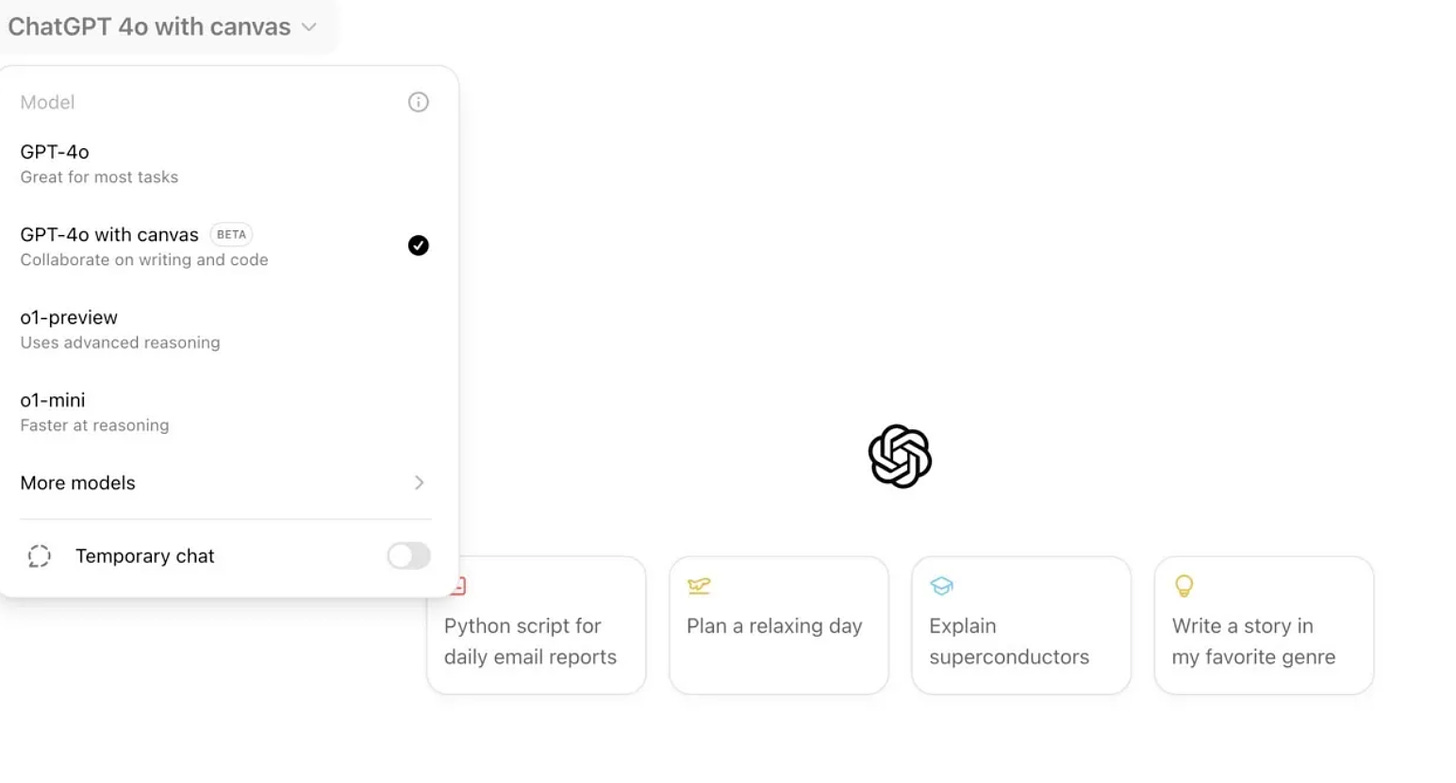
Here's what you need to do to try out the new interface.